Overview
The Team plan is designed for teams that need to create videos regularly and add members to their workspace. It gives you the full set of core video creation tools, including no watermarks on exported videos, PPTX and PDF upload, animations and transitions, and the stock media library, and adds a lot more on top: Ultra 4K HD rendering, Premium Voices, the Brand Kit feature, and Interactivity Features.
When you subscribe to the Team plan, your account becomes a single workspace where you and your invited team members can work together. If you need to create multiple workspaces, or need Single Sign-On and SCORM export, the Enterprise Plan will be a better fit. Explore all Elai plans here.
What the Team Plan Includes
The Team plan offers three monthly tiers: 50, 100, or 150 minutes of video credits per month, along with AI Image Generation and Custom Music and Font Upload. You also get access to 100+ Premium Voices for more natural-sounding voiceovers, the Brand Kit feature, and Interactivity Features such as branching, buttons, hotspots, multi-select answers, and video analytics.
The plan includes 3 seats, so you can invite team members and guests into your workspace. You get access to over 80 avatars, or you can create your own AI avatar, and more than 75 languages for translation and voiceover. All Creator plan features are included as well, such as no watermarks on exported videos, public API access, PPTX and PDF upload, animations and transitions, and the stock media library.
Voice Clone and Selfie Avatar are included for free with the Annual subscription. Monthly subscriptions and additional avatars are available as paid add-ons.
Note: You can see the full list of available features on the Elai pricing page.
Managing Your Workspace
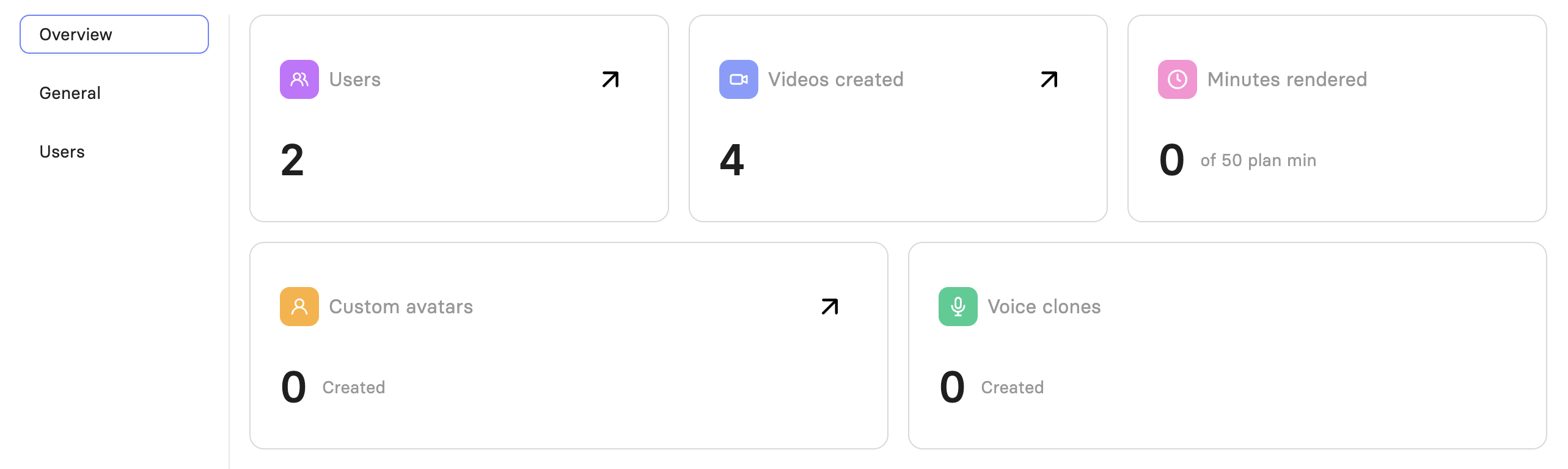
On the Team plan, you cannot create multiple workspaces on your own. Instead, your account becomes a single workspace that you and your invited team members work in together. As an admin, you manage your workspace, change the workspace name, track render minutes, and usage percentage.
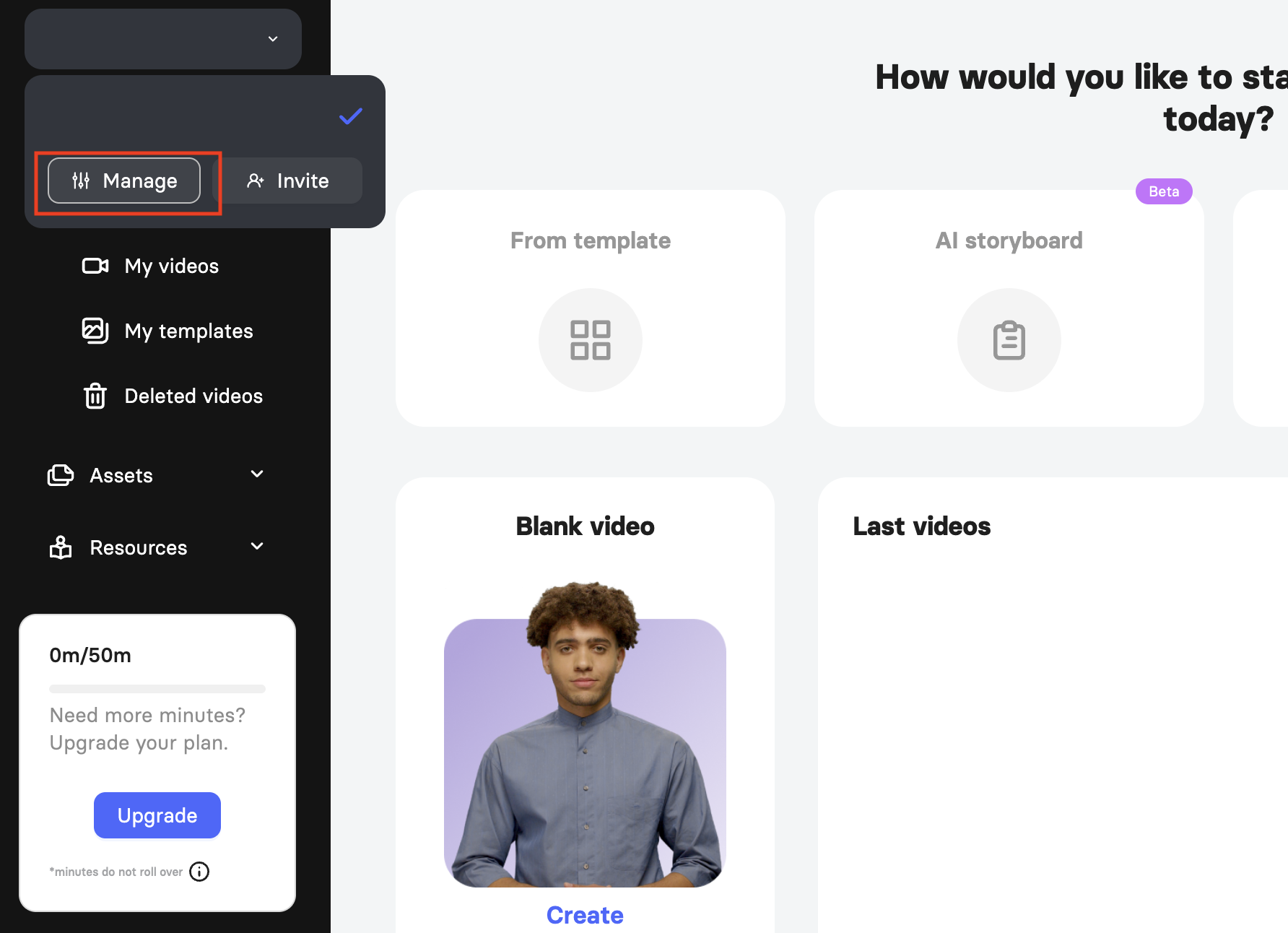
 To manage your workspace, go to Home page and click on your workspace name in the top-left corner. Then click Manage.
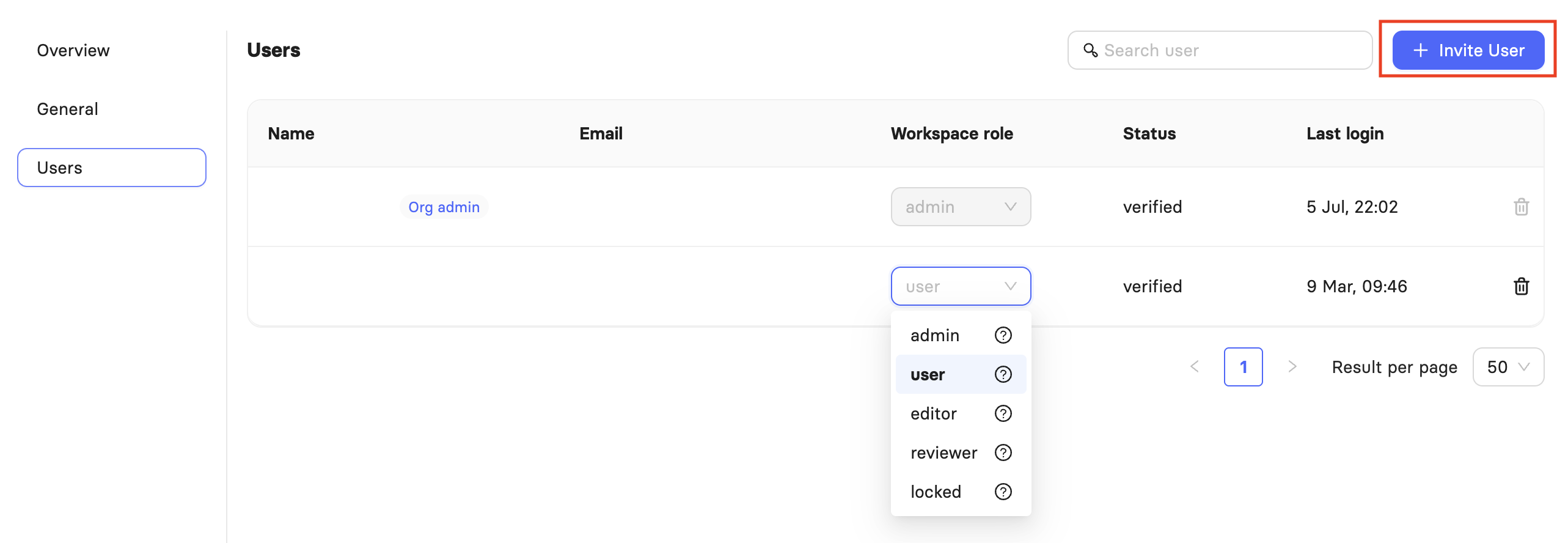
  The first user registered on the account automatically becomes the workspace admin. As admin, you can invite additional users, assign them a role, and remove them from the workspace at any time. You cannot invite a user whose email address is already registered with an Elai account.
When you invite someone, they need to accept the invitation and verify their account before they can start working in the workspace.
From My Profile, you can upgrade or change your subscription here and modify billing details. 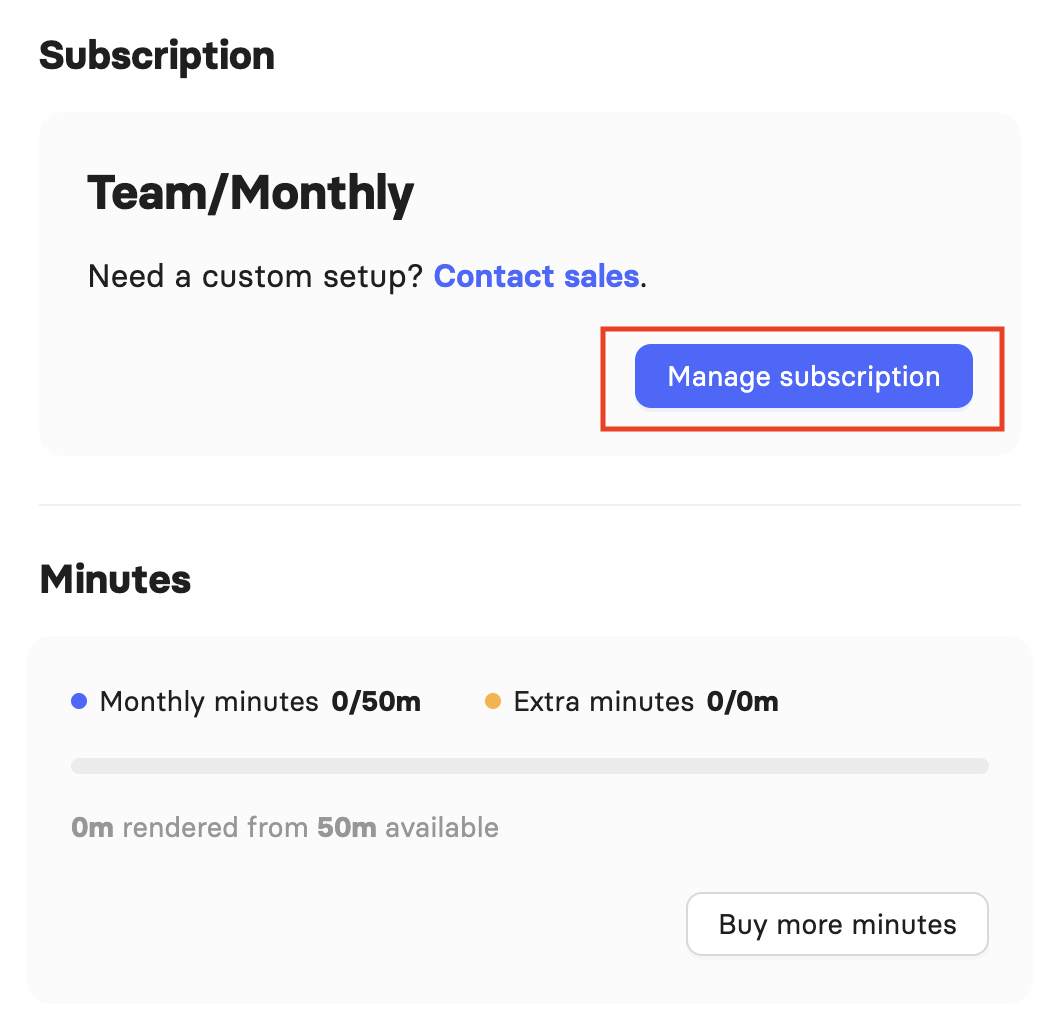
Important! Unlike other plans, you cannot delete your workspace on the Team plan, since the workspace is your working environment within your subscription. You can still manage and remove individual users from it at any time.
Managing Your Video Minutes
The Team plan offers three tiers: 50, 100, or 150 minutes per month. On a monthly subscription, unused minutes expire at the end of each billing cycle and do not carry over.
If you choose an annual subscription, you are billed annually and receive all your minutes upfront for the year: 600, 1200, or 1800 minutes depending on the tier you select. You can use these minutes whenever you need throughout the year.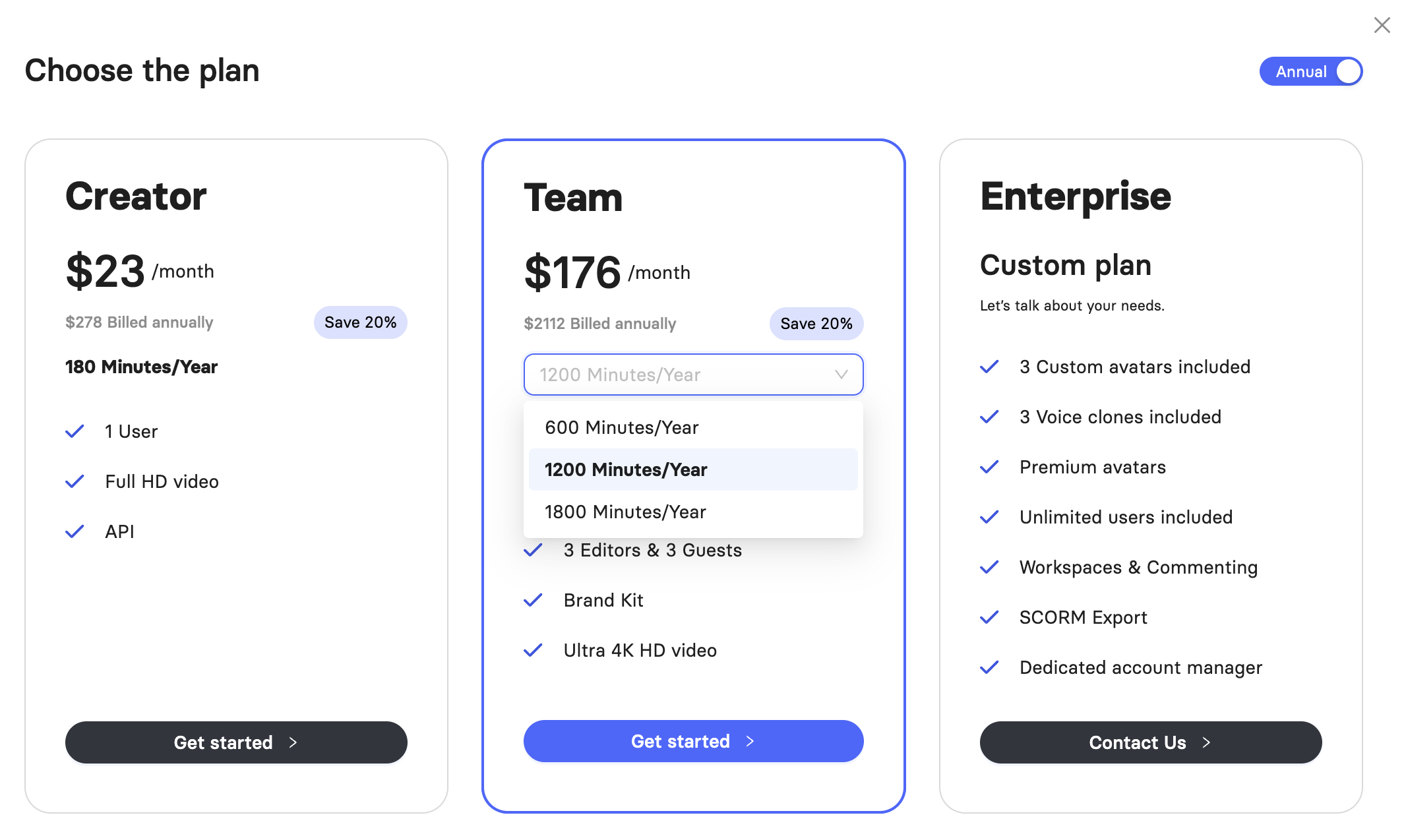
If you run out of minutes before your next billing cycle, you can buy more directly from your account in My Profile. 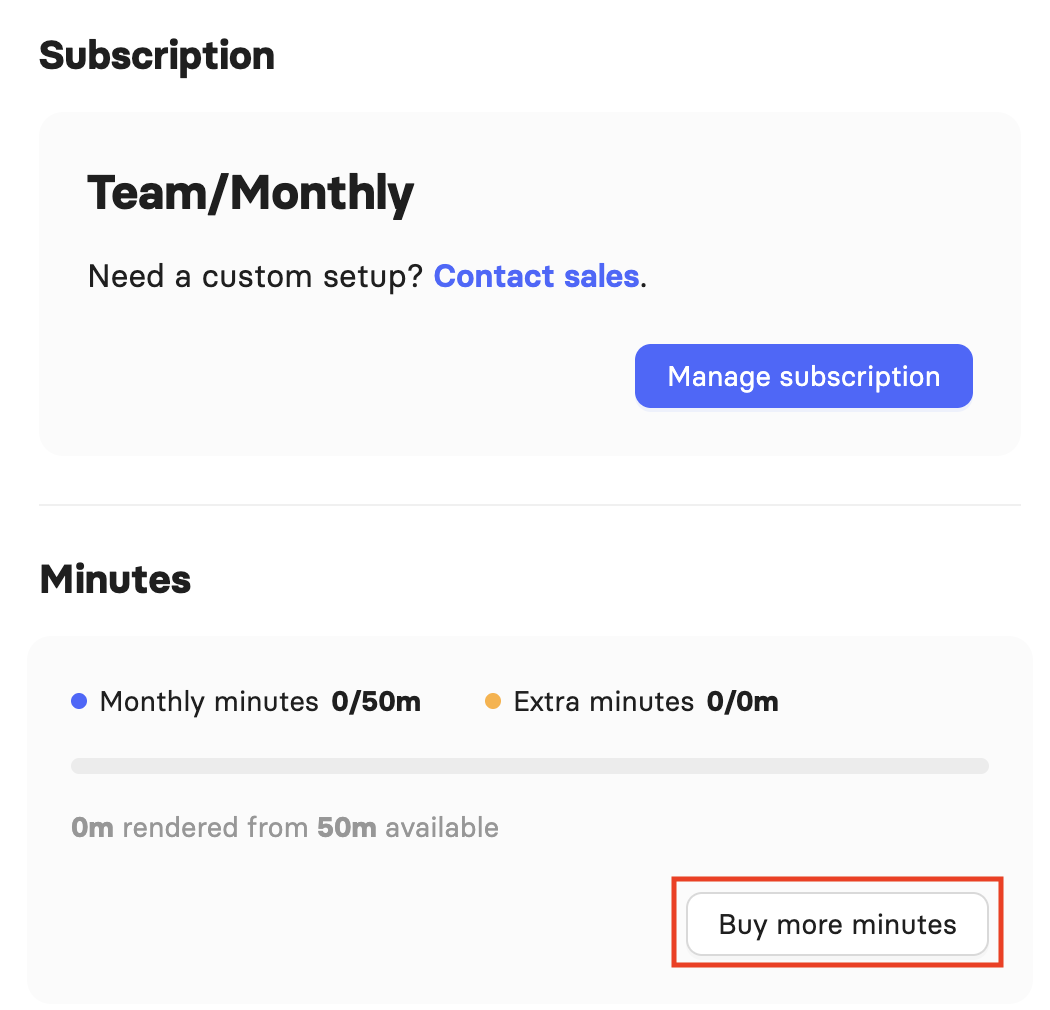
Upgrading to the Enterprise Plan
Enterprise plans are custom configured. Contact Elai Sales to set up an Enterprise subscription: https://elai.io/demo/.
FAQ
What is the price of the Team plan?
Pricing depends on the billing cycle you choose. The Team offerings are available on the Elai pricing page.
How many minutes do I get with the Team plan?
The Team plan offers three monthly tiers: 50, 100, or 150 minutes. If you choose an annual subscription, you are billed annually and receive 600, 1200, or 1800 minutes upfront, depending on the tier you select.
Do unused minutes roll over to the next month?
On a monthly subscription, no, minutes expire at the end of the billing cycle. On an annual subscription, yes, since all minutes are issued upfront and available anytime within that year.
Can I add other users to my workspace?
Yes. Your Team plan account becomes a single workspace where you can occupy up to 3 seats. The first registered user is the workspace admin and can assign roles or remove users at any time.
Can I create more than one workspace?
No. The Team plan gives you a single workspace tied to your account. If you need multiple workspaces, the Enterprise plan supports this.
Does the Team plan include Custom Avatars?
If you subscribe to the Annual Team plan, you get 1 Selfie Avatar and 1 Voice Clone included for free. For monthly subscriptions or additional avatars, these are available as add-ons.
What video quality is available on the Team plan?
You can render your videos in Ultra 4K HD resolution.
Further Reading
Was this article helpful?
That’s Great!
Thank you for your feedback
Sorry! We couldn't be helpful
Thank you for your feedback
Feedback sent
We appreciate your effort and will try to fix the article