Overview
Premium Voices are Elai's enhanced voice library, offering over 100 voices with heightened naturalness, a wider intonation range, and a broader selection of styles compared to standard voices. They are designed for videos where delivery quality matters most: product promos, customer-facing narration, and content where a flat or robotic tone would undercut the message.
All voices in the Premium library are browsable through the same voice picker used for standard voices.
Prerequisites
Team or Enterprise plan. Premium Voices are not available on Trial or Creator plans
Verified account. See How to Verify Your Elai Account for more detailed steps
What Premium Voices Include
Premium Voices give you access to everything in the Standard Voice library plus an additional 100+ enhanced voices in 75+ languages. The key differences from standard voices are:
Enhanced naturalness. Premium voices use more sophisticated synthesis models, producing speech that sounds closer to a real voice actor than standard voices.
Additional intonation range. The voices handle sentence-level rhythm, stress, and inflection with greater accuracy, reducing the need for manual adjustments.
SSML support. Premium voices with no style label on their card support SSML tags, allowing you to adjust rate, pitch, volume, and pauses directly in the speech text field. Voices with a fixed style description on their card, such as "conversation middle-aged social-media" or "education middle-aged raspy", do not support SSML. All neutral voices support SSML.
For a full guide on fine-tuning pronunciation and delivery, see How to Adjust Pronunciation with Phoneme Dictionary and SSML.
Browse and Filter Premium Voices
The voice picker gives you several ways to find the right voice. You can filter by character age, use case, and style, or combine filters to narrow the list further. Filters apply across both standard and premium voices unless you enable Premium only.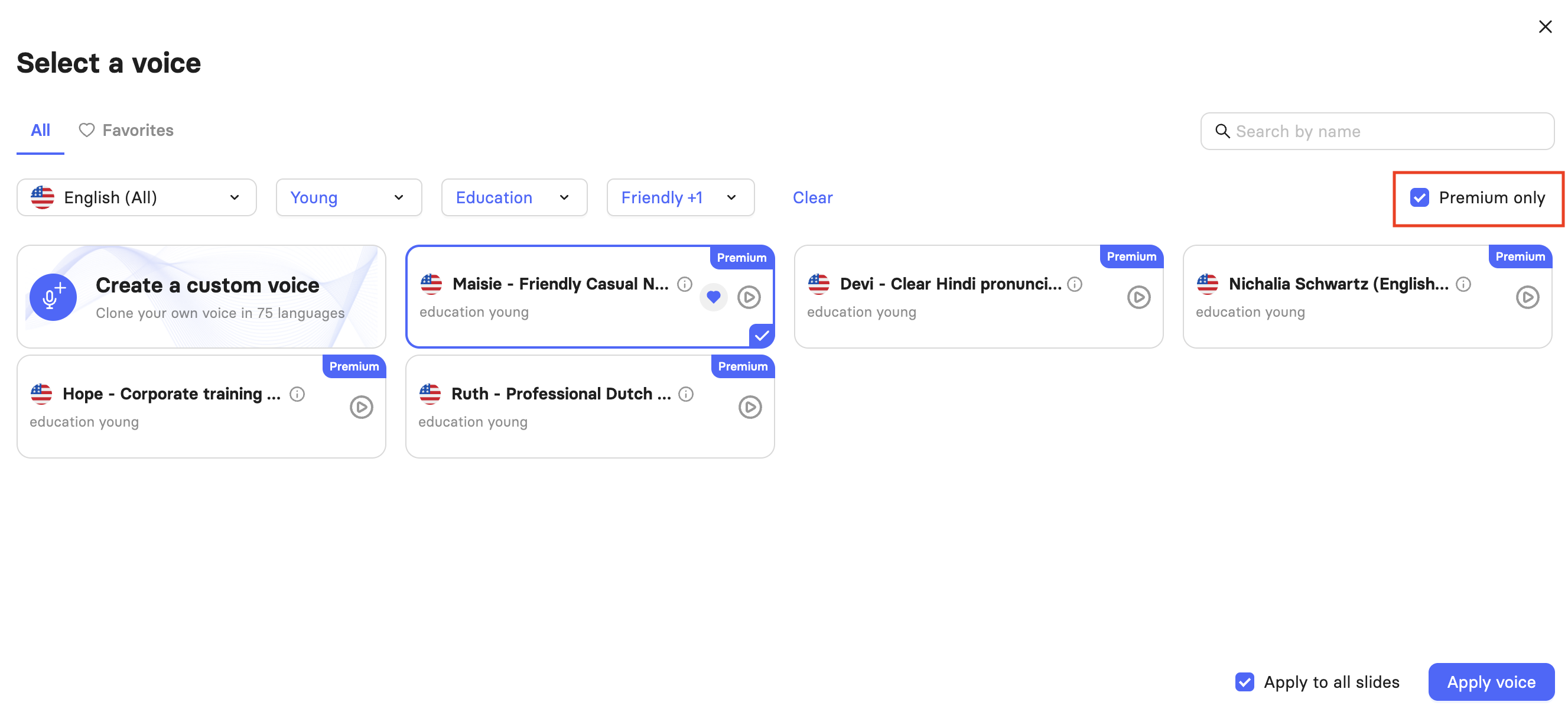
Character filters by the apparent age of the voice:
Mature
Middle-Aged
Young
Use case filters by the type of content the voice is suited for:
Conversation
Education
Entertainment
Marketing
Narration
Style filters by the delivery tone of the voice:
Calm
Conversational
Energetic
Friendly
Professional
If you already know the name of a voice, you can also use the search bar on the top-right to locate it. Any active filters are ignored when you use the search bar, making it easy to find your desired voice.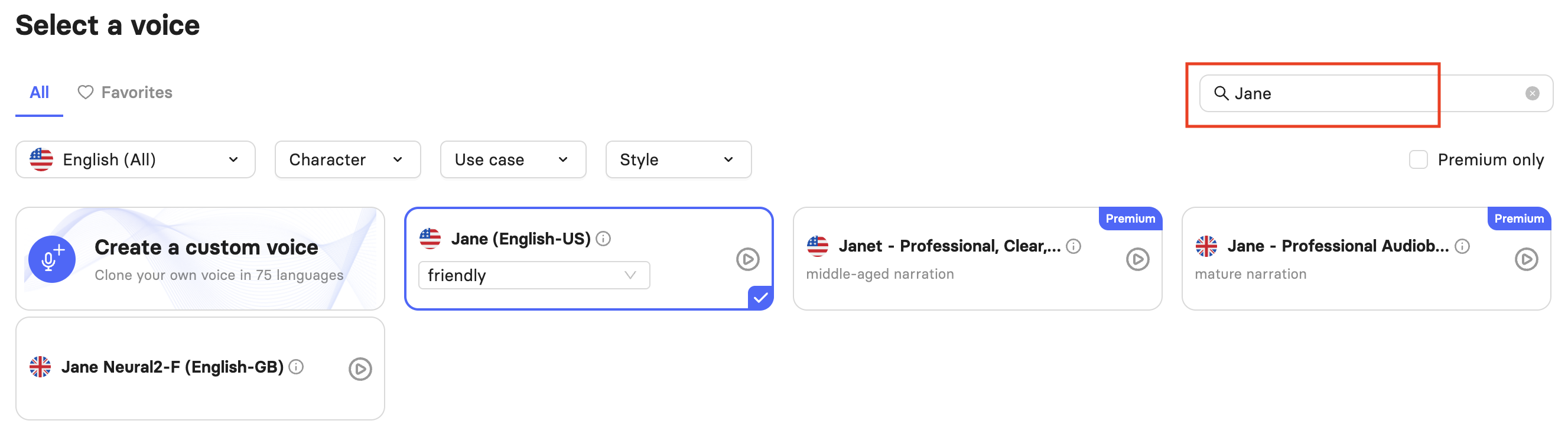
Find and Select a Premium Voice
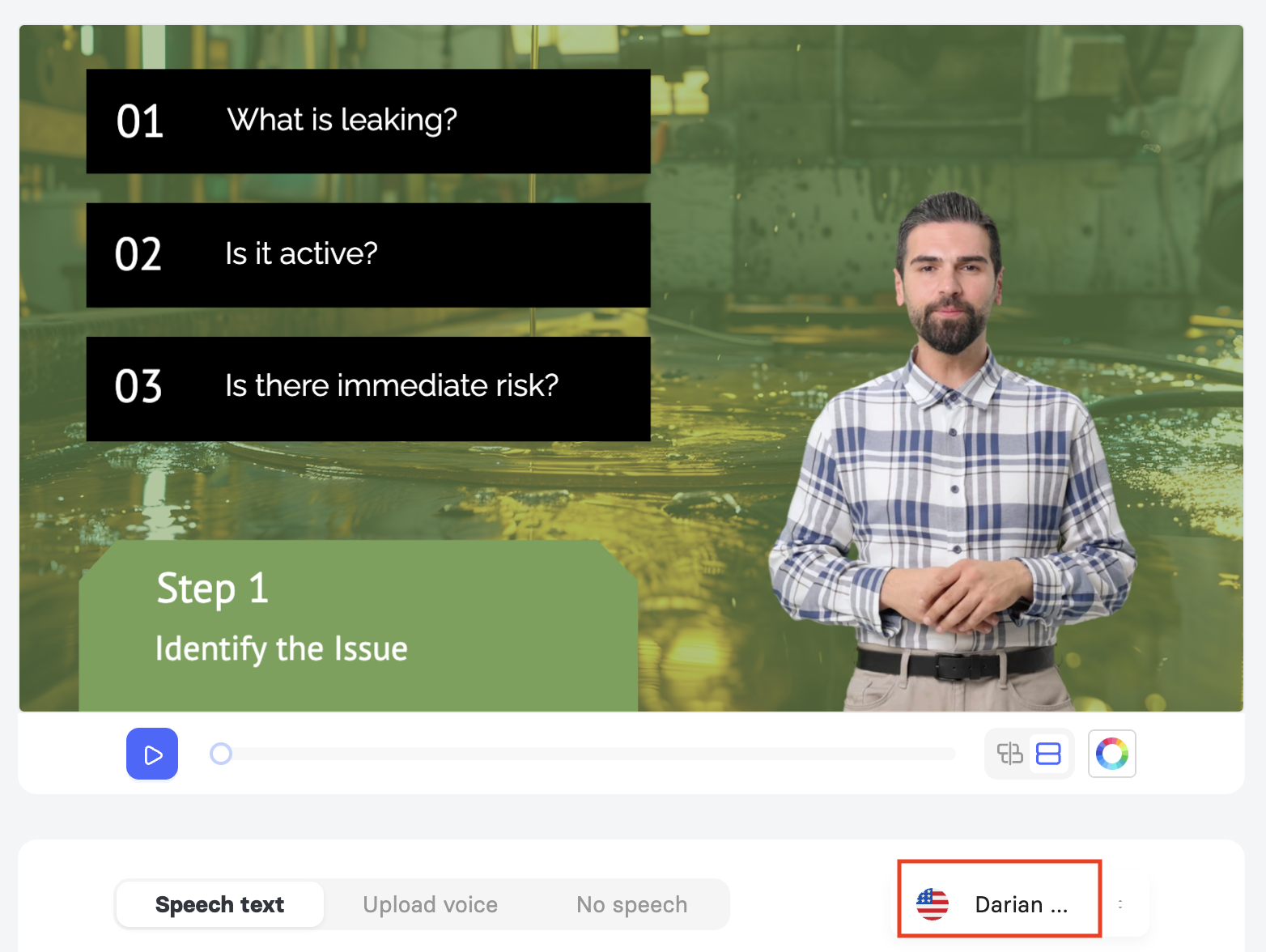
To browse Premium Voices, open a slide in the editor and select the active voice displayed in the bottom-right corner of the slide, just above the speech text panel. This opens the voice library. For a complete overview of all voice types available in Elai, see Learn About Elai Voice Library.
Check Premium only in the top-right corner of the picker to filter the list to Premium Voices only. Use the filter dropdowns or the search bar to narrow results by name. Each voice card shows a short description of its tone and use case. Select the play icon to preview a voice before applying it.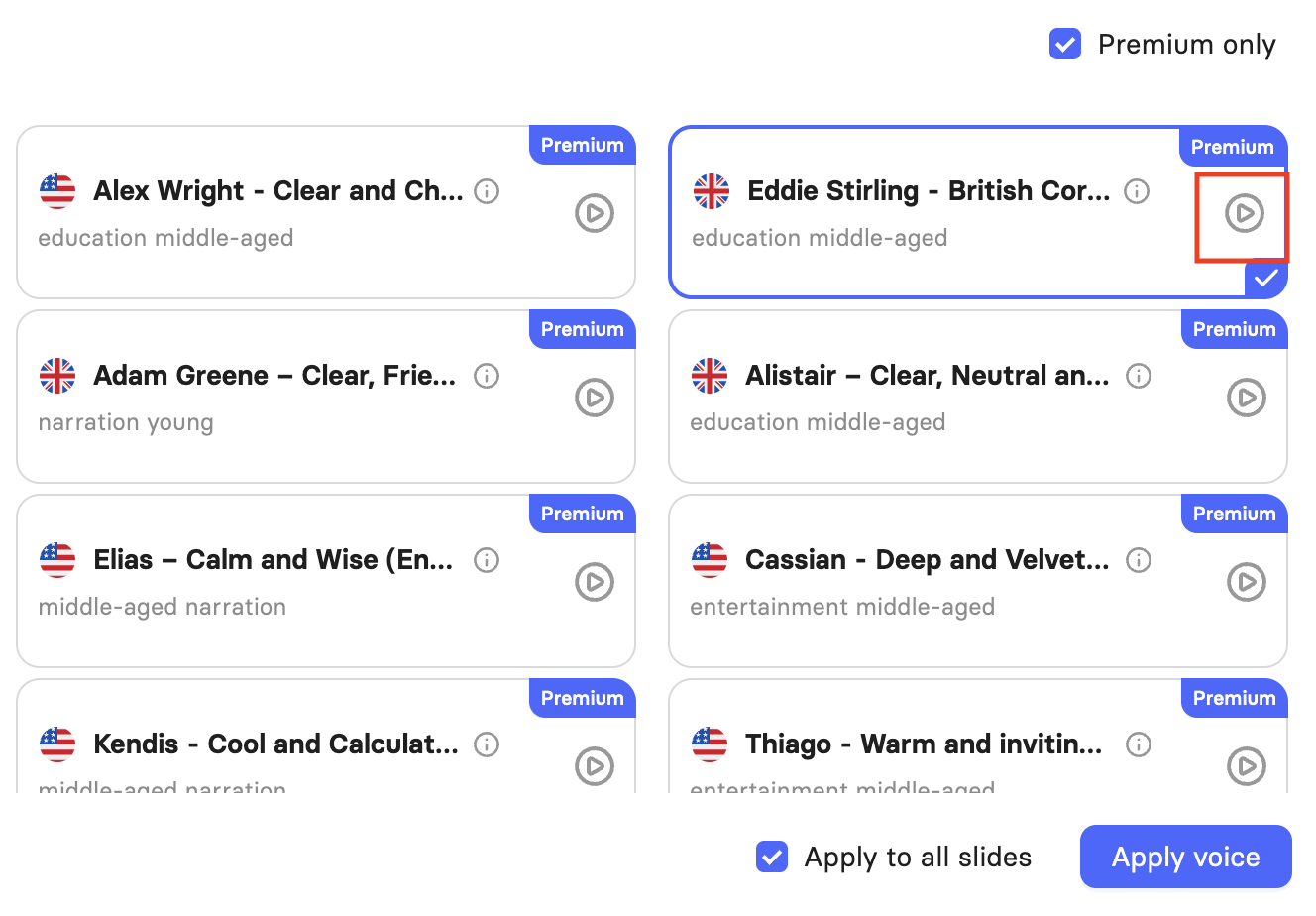
To save a voice for quick access later, hover over the desired voice and then click the heart icon that appears. To view your saved voices, select the Favorites tab at the top of the picker. 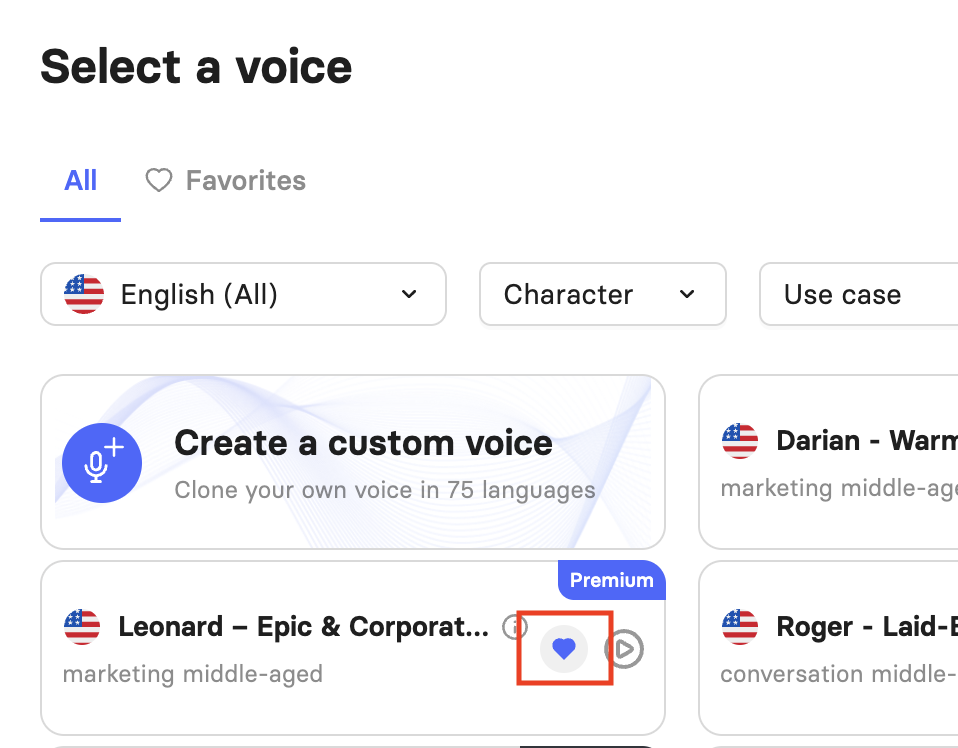
The Favorites tab will automatically filter based on your currently selected language. If you can’t find your saved voice, it may be assigned to a different language.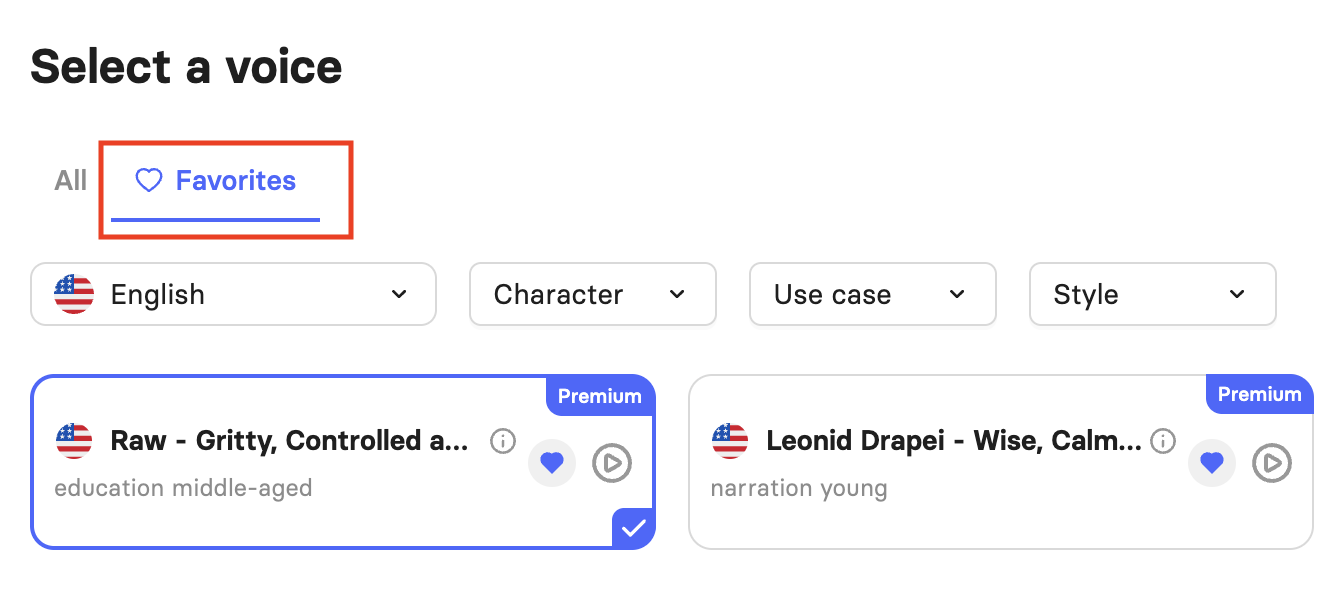
Once you have chosen a voice, you can apply it to the current slide only, or check Apply to all slides before selecting Apply voice to update the entire video at once.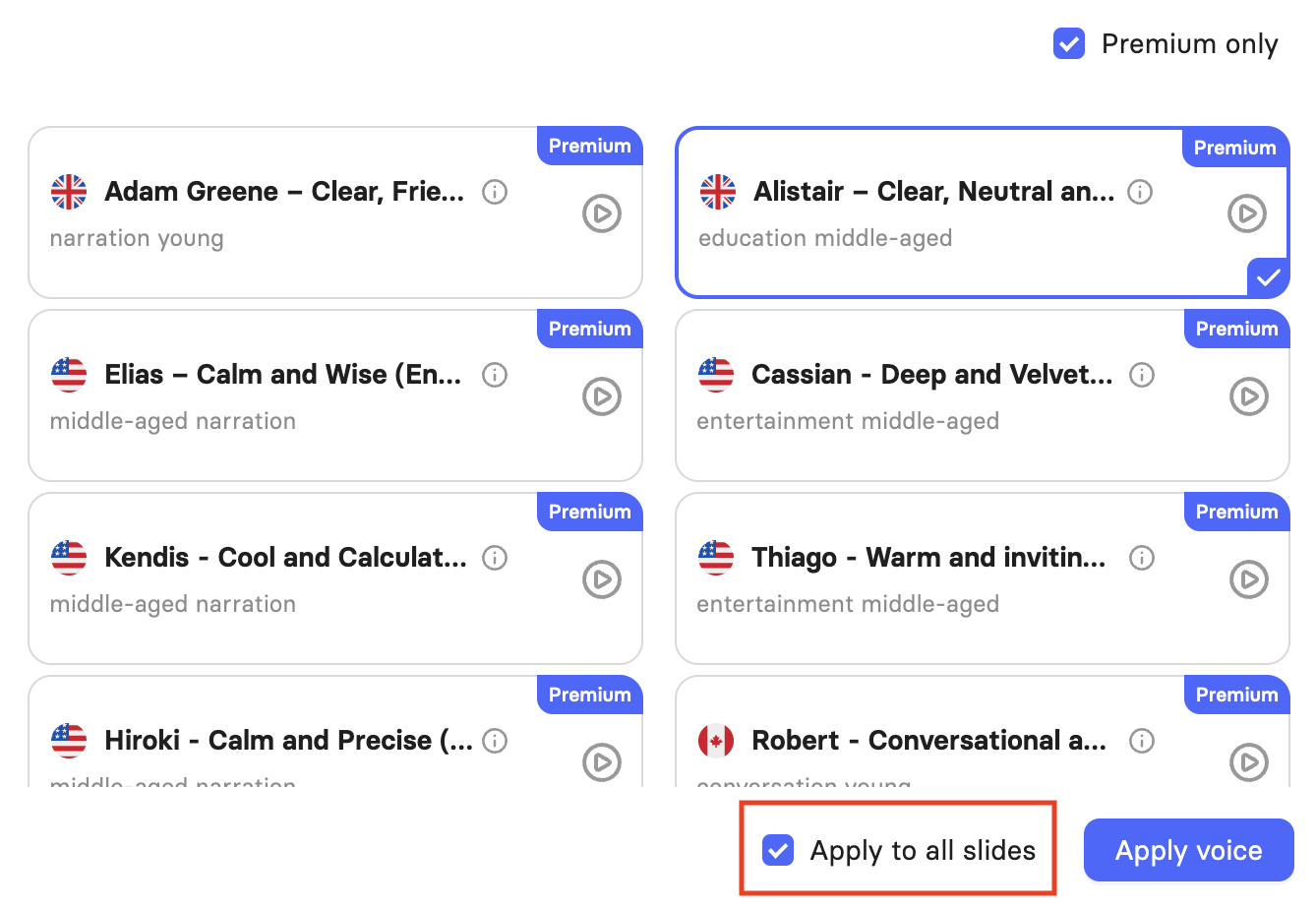
FAQ
Which plans include access to Premium Voices?
Premium Voices are available on the Team and Enterprise plans. They are not included on Trial or Creator plans.
What's the difference between Premium Voices and standard voices?
Premium Voices have a more professional sound, enhanced naturalness, and a wider range of intonation, styles, and variations than standard voices.
Can I filter the voice picker to show only Premium Voices?
Yes. Check Premium only in the top-right corner of the voice picker to limit the list to Premium Voices. You can further narrow results using the character, use case, and style filters, or the search bar.
Was this article helpful?
That’s Great!
Thank you for your feedback
Sorry! We couldn't be helpful
Thank you for your feedback
Feedback sent
We appreciate your effort and will try to fix the article