Overview
SCORM is an industry-standard packaging format used to share eLearning content with a Learning Management System (LMS). It allows a learner's progress, score, and completion status to be tracked automatically once the content is uploaded.
Elai lets you export any rendered video, including interactive videos with quizzes, as a SCORM package. Once uploaded to your LMS, the package tracks how far a learner got, whether they passed, and how they answered any quizzes included in the video. This makes SCORM export useful for training content, onboarding videos, or any course you need to track through your existing LMS.
Prerequisites
SCORM export is available on the Enterprise plan.
Your video must be fully rendered before you can export it as a SCORM package.
Exporting Your SCORM Package
Open your rendered video using one of the following methods.
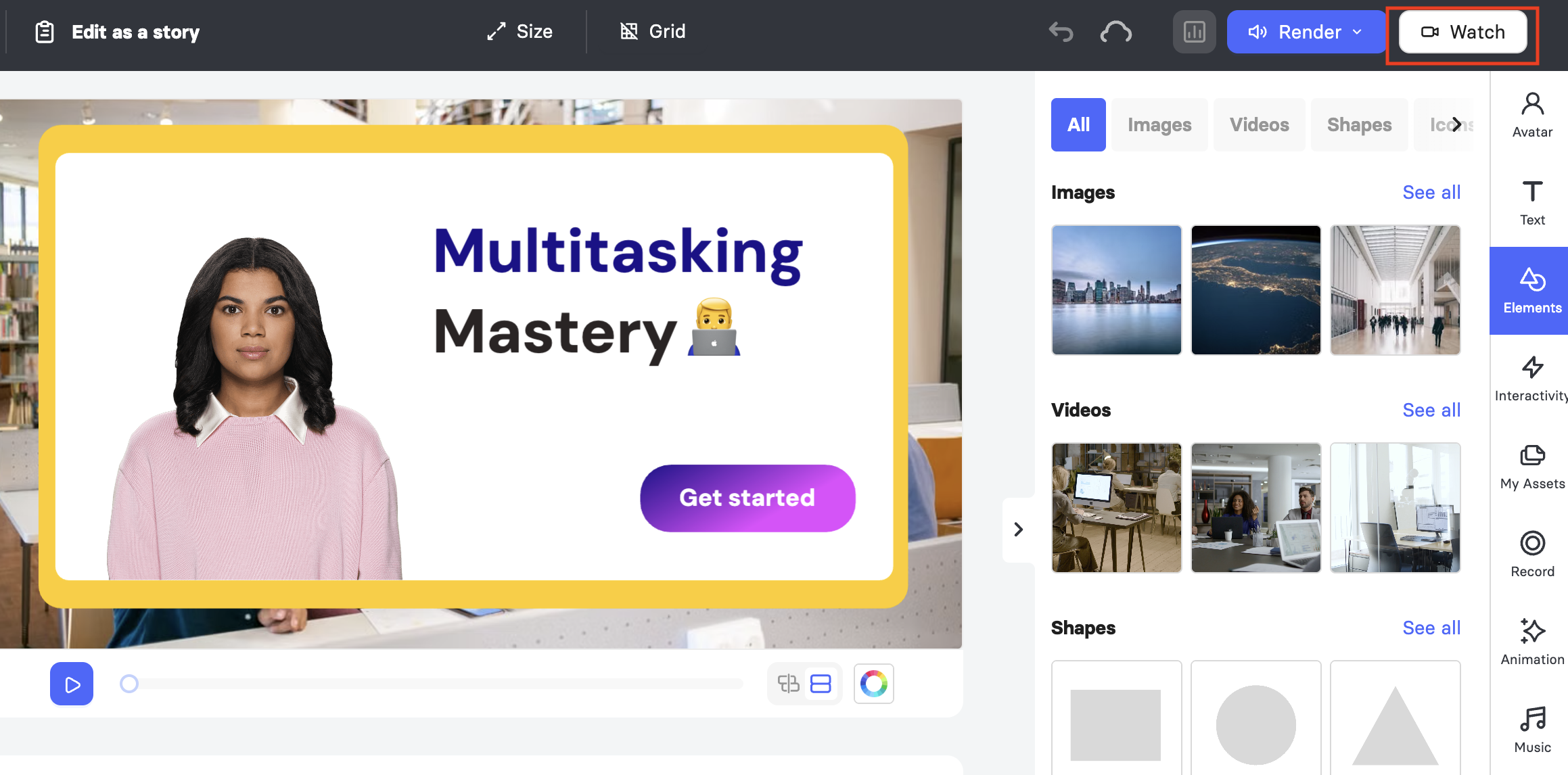
a. From the editor, click Watch in the top right corner.
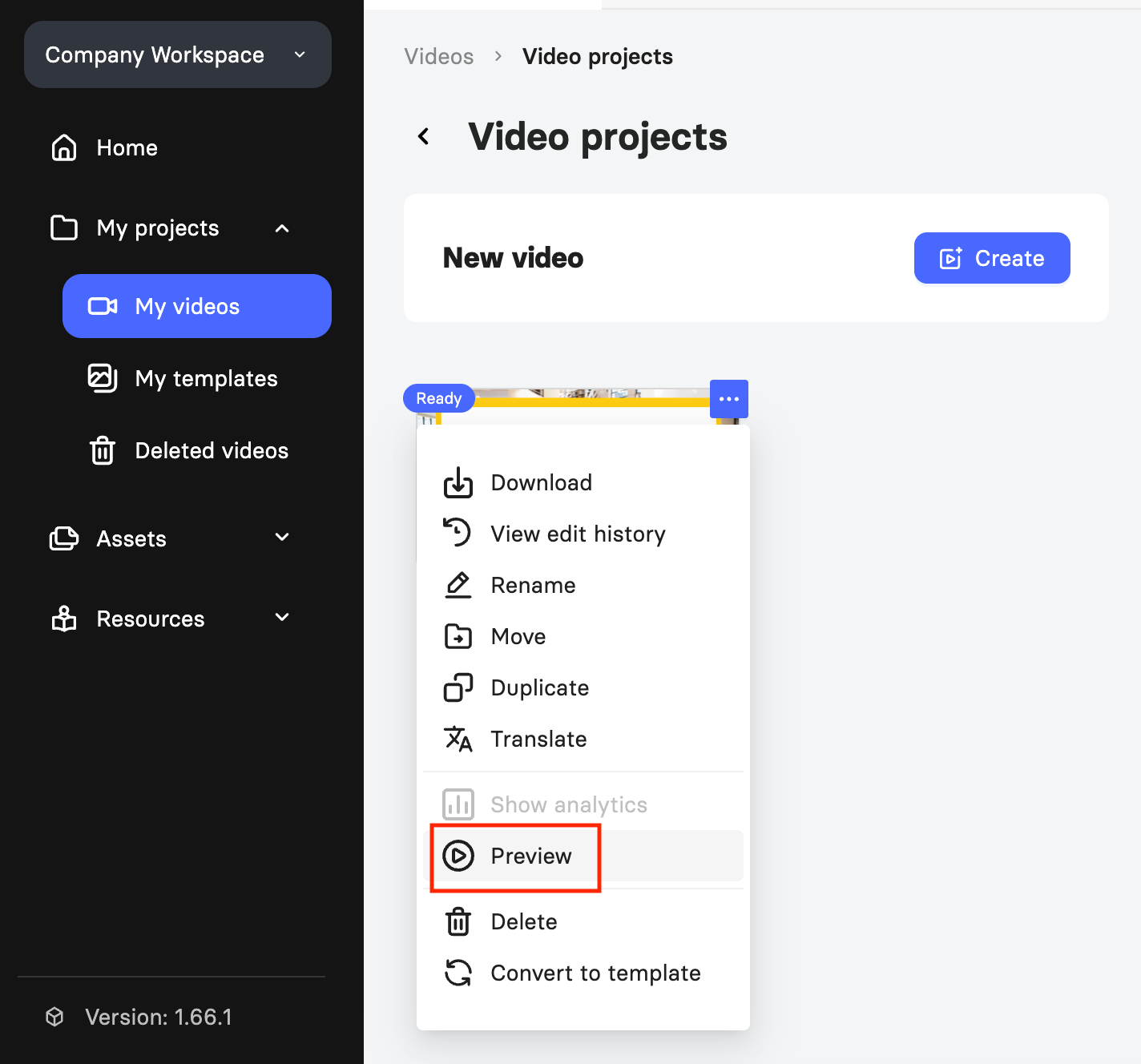
b. From the Videos page, click the three dots on the video, then click Preview.
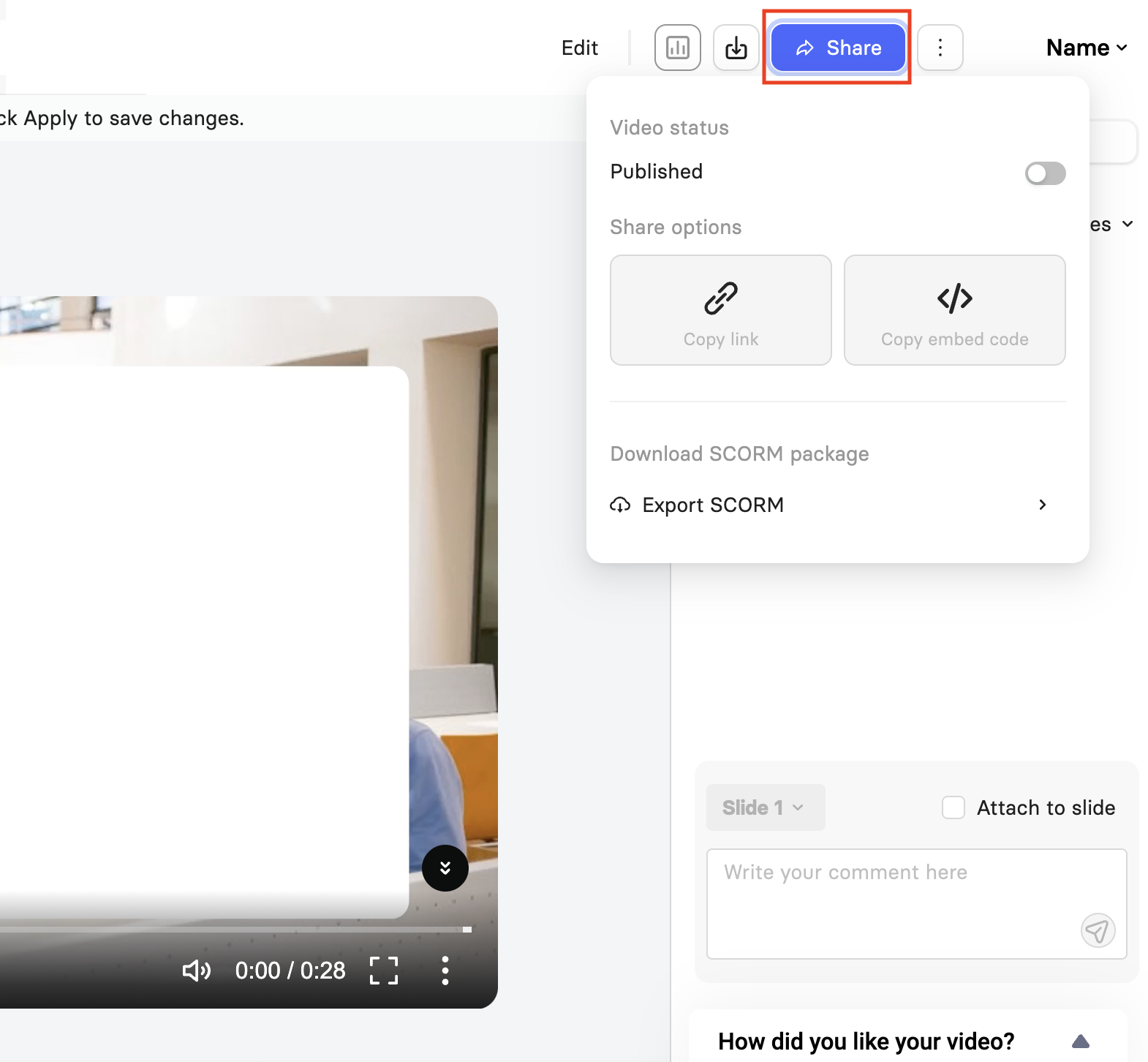
Click Share.
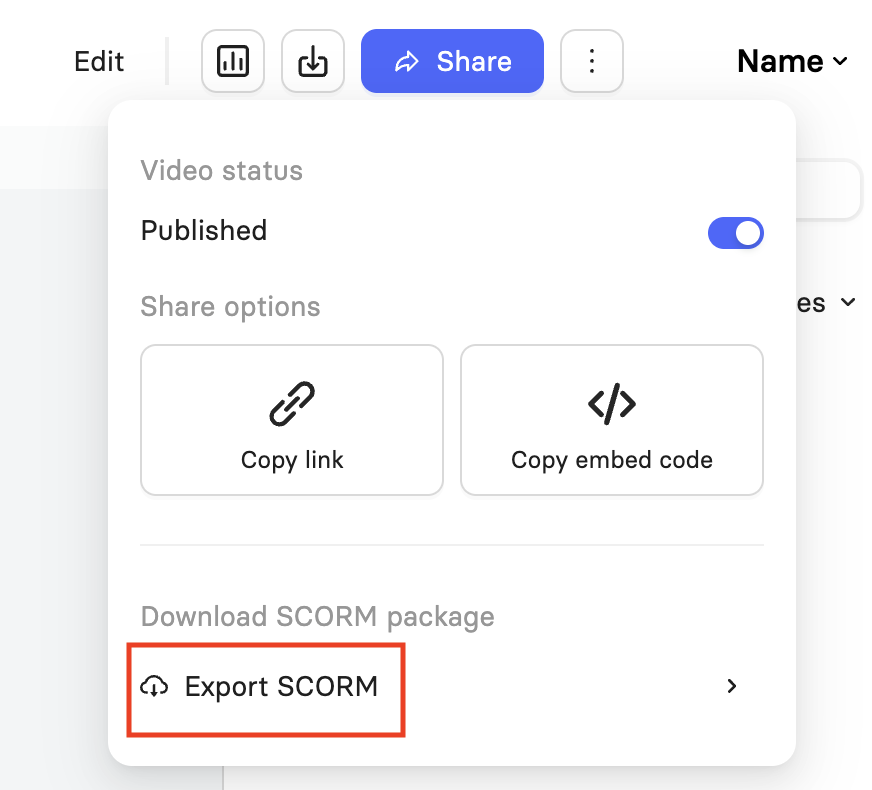
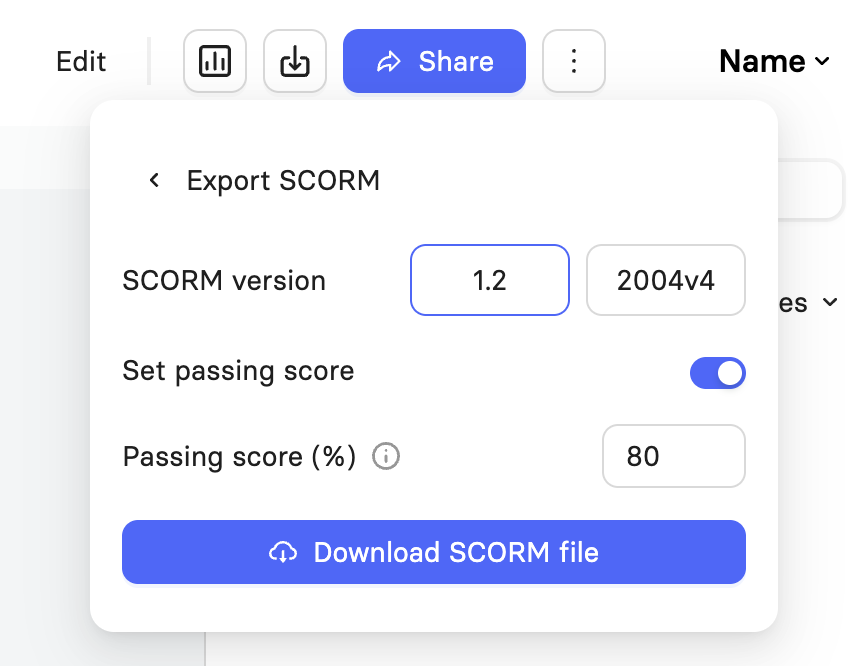
Click Export SCORM.
Select your SCORM version, either 1.2 or 2004v4, depending on which version your LMS supports.
Enter Passing score. This defines how much of the video a viewer must watch for it to be marked as complete. A rate of 100 means the viewer must watch the entire video.
Click Download SCORM File to save the .zip file, then upload it to your LMS following your LMS provider's instructions.
Scoring and Completion Data
When a learner reaches the completion rate, Elai sends a few pieces of data to your LMS:
Score: The percentage of quiz questions answered correctly. If the video has no quizzes, the score is automatically set to 100 percent once the completion rate is reached.
Success status: Reported as passed or failed once the learner reaches the completion rate. A learner passes if their score meets or exceeds the mastery score, which is fixed at 80 percent by default. Some LMS platforms allow this threshold to be adjusted on their end.
Completion status: Reported as completed once the learner reaches the completion rate. This is only available as a separate field in SCORM 2004v4. In SCORM 1.2, a passed or failed status is the only indicator that the video was completed.
Two additional data points are sent, though they are used less frequently by LMS platforms:
Progress: The percentage of quizzes a learner has viewed, regardless of how they answered. Only available in SCORM 2004v4.
Interactions: A record of which question a learner answered, what they answered, and whether it was correct.
Every LMS decides for itself which of this data to use and how to define a passing or completed course, so behavior can vary slightly between platforms.
Updating Content After Export
If you edit and re-render a video after exporting its SCORM package, you do not need to re-export or re-upload the package to your LMS. Each SCORM package is linked to the video itself, so it always plays the most current rendered version, even if the package was downloaded before your changes were made.
Important! This only applies to the video content. The SCORM package also contains a snapshot of Elai's player at the time it was downloaded. If Elai releases an updated version of the player, you will need to re-download the SCORM package to use it.
SCORM Limitations
A few behaviors are worth knowing about before you build a course around SCORM tracking:
SCORM 1.2 does not include a separate completed flag, only a passed or failed status. Depending on how your LMS interprets this, a course may not register as completed unless a passed or failed status is also present.
In some LMS setups, the SCORM package window may close automatically once a learner finishes the video.
Support and behavior for SCORM can vary by LMS provider. If tracking looks incorrect, check with your LMS provider to confirm how they handle SCORM completion and scoring.
FAQ
Can I check quiz results without exporting SCORM?
Elai stores quiz results in its own database, but, for now, there is no way to view or use that data outside of a SCORM export.
Which SCORM version should I use?
This depends on your LMS. Some platforms only support one version, so check your LMS provider's documentation before exporting.
Was this article helpful?
That’s Great!
Thank you for your feedback
Sorry! We couldn't be helpful
Thank you for your feedback
Feedback sent
We appreciate your effort and will try to fix the article