Overview
The Elai API lets you generate and render videos programmatically, without using the video editor directly. It's designed for teams who want to automate video creation, personalize videos at scale, or integrate Elai into an existing workflow or tool.
This article walks you through generating your API token. For a full breakdown of available endpoints, request formatting, and additional use cases, see the Elai API Reference.
Prerequisites
Workspace Admin role. If you are not an Admin, contact your workspace Admin to generate or manage the API token on your behalf.
Verified Elai account. See How to Verify Your Elai Account.
Generate Your API Token
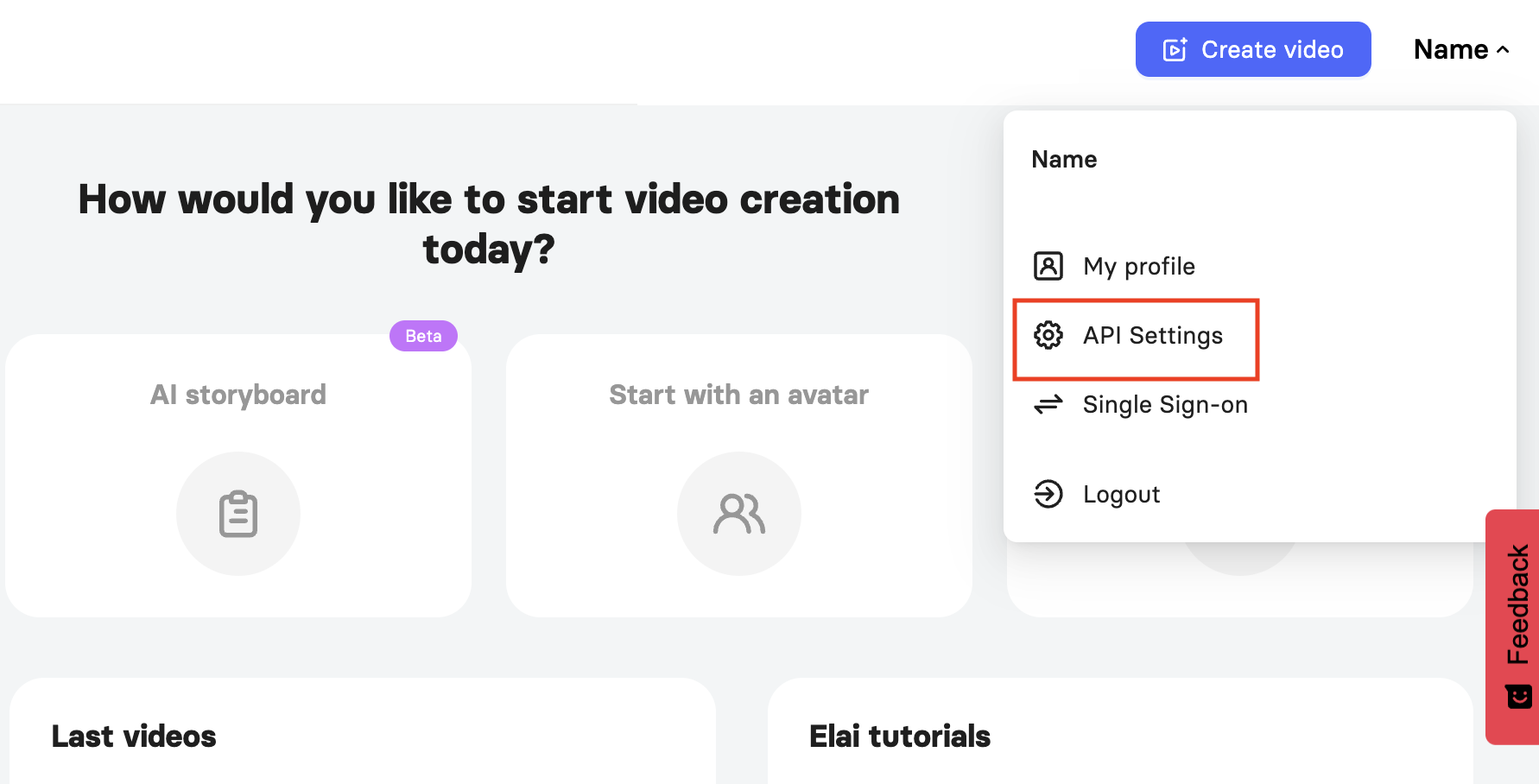
Go to the API Settings page.
Click Generate to create a new API token.
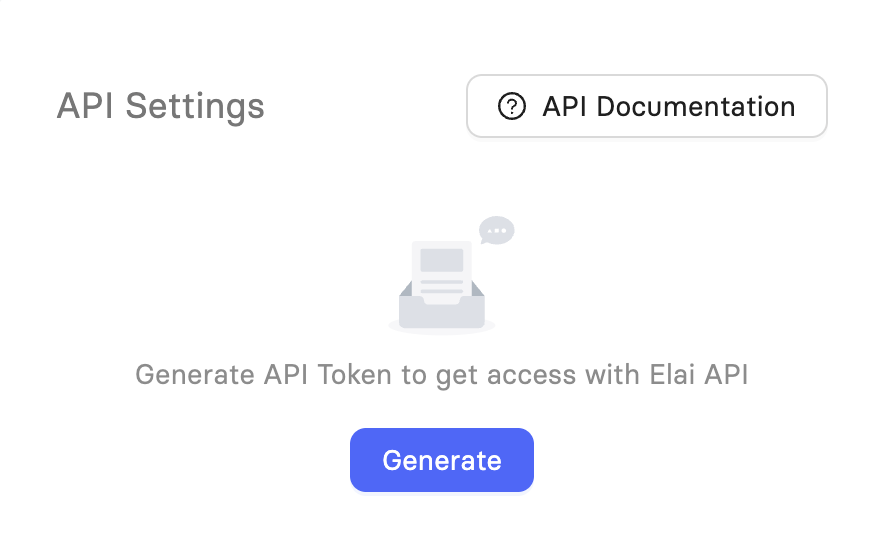
Note: If you do not see this section, you are not logged in as an Admin.
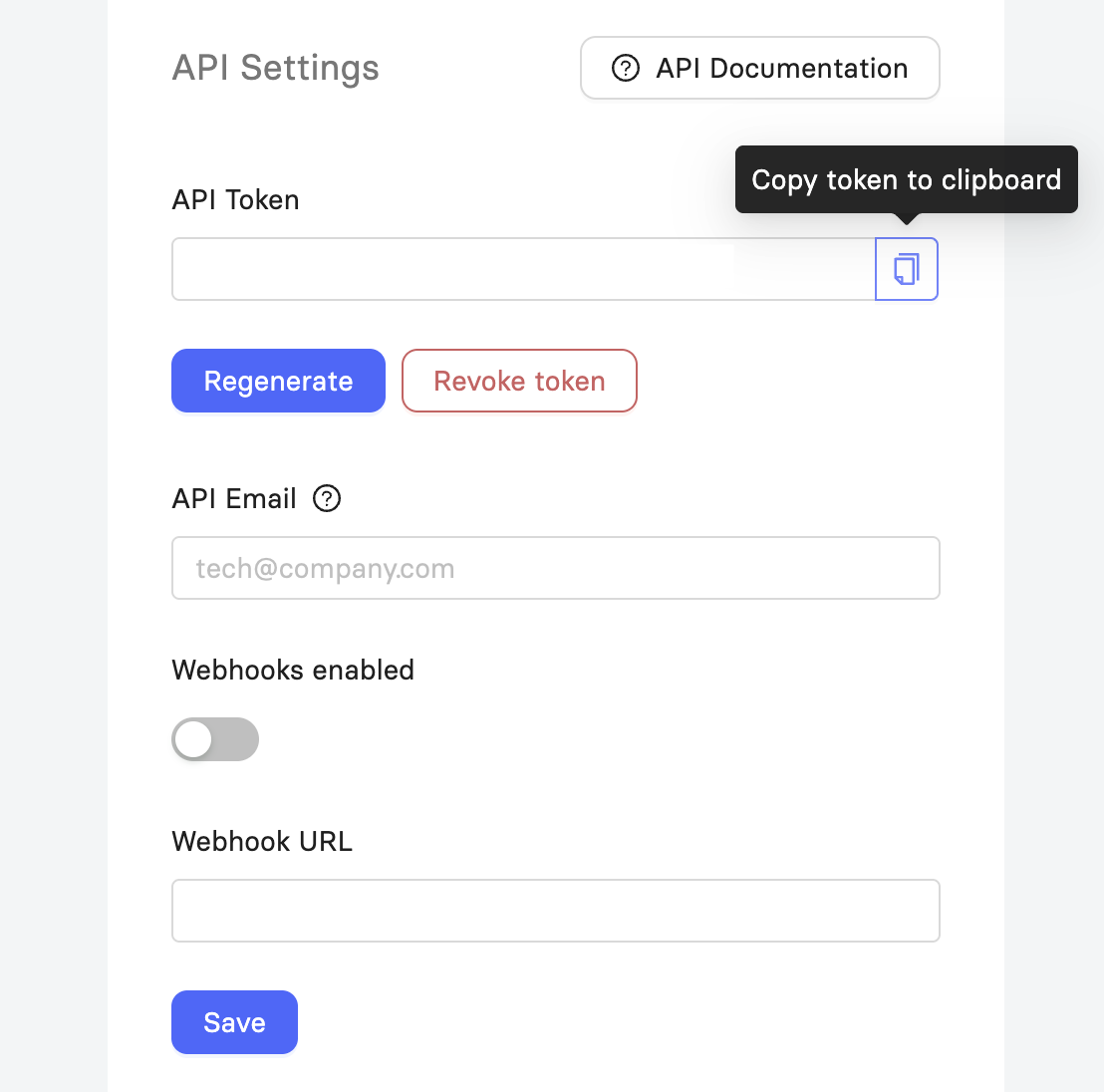
Once generated, your token appears on the API Settings page along with a few other options:
API Token: Your personal token. Click the copy icon next to it to copy the token to your clipboard.
Regenerate: Creates a new token and invalidates the previous one.
Revoke Token: Disables your current token, blocking any further use of it.
API Email: An email address used to receive notifications related to your API usage.
Webhooks Enabled: Turns on webhook notifications for your account.
Webhook URL: The endpoint Elai sends webhook data to. This field only appears once Webhooks Enabled is turned on.
Important! Regenerating or revoking your token will break any existing integrations using the previous token. Update your integration with the new token before revoking the old one.
Make Your First API Request
Use your token to authenticate requests to the Elai API. Most teams start by rendering an existing video, which only requires the video's ID and your token in the request header.
For the full request format, available parameters, and additional endpoints, see the Elai API Reference.
The reference also covers two of the most common use cases:
Personalization: Create multiple videos from one template with different text, speech, or images for each version. A Zapier app is also available for this workflow.
Story API: Generate videos automatically from text, HTML, a topic, or a URL.
Note: If you prefer a no-code solution, you can connect Elai to the Zapier app to automate video creation with other tools.
Further Reading
FAQ
Who can generate an API token?
Only users with the Workspace Admin role can generate or manage an API token. If you're not an Admin, ask your workspace Admin to do this for you.
What if I don't see the Generate button on the API Settings page?
This means you're not logged in as a Workspace Admin. Contact your Admin to generate or manage the token for you.
Was this article helpful?
That’s Great!
Thank you for your feedback
Sorry! We couldn't be helpful
Thank you for your feedback
Feedback sent
We appreciate your effort and will try to fix the article