Overview
Panopto is a video knowledge platform used by universities and enterprises to capture, manage, and share video at scale. Instead of recordings sitting in scattered drives and chat threads, every lecture, training session, and meeting lands in one governed library where it can be searched, reused, and shared with the right people. Panopto today serves more than 2,000 organizations across higher education and the Fortune 500.
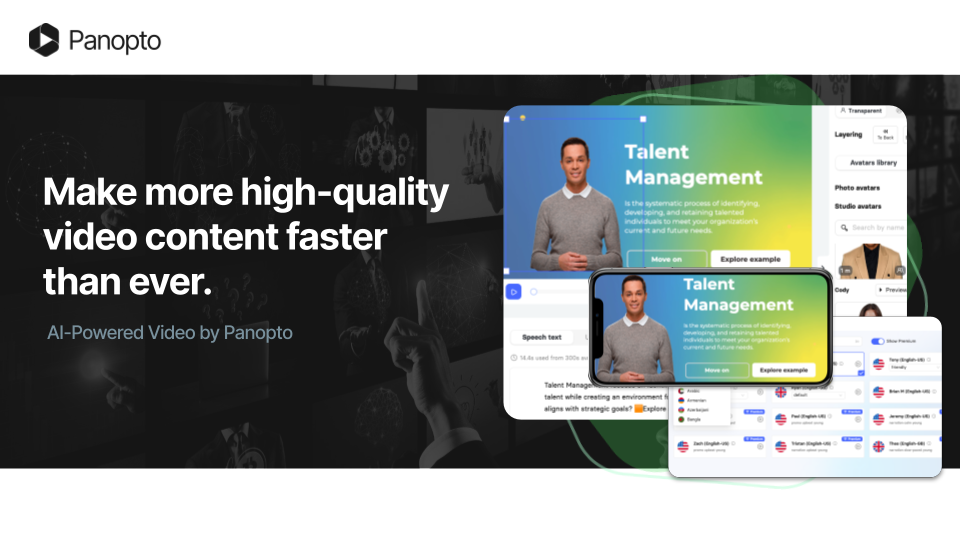
Elai is Panopto's AI Video Studio, which turns text, documents, and slide presentations into avatar-led videos without a camera or a production team. Videos you create in Elai can be exported straight into your Panopto library, and existing Panopto recordings can be recast into short microlearning videos.
This article explains what Panopto does, why organizations use Panopto and Elai together, and where to go to start viewing, recording, editing, and sharing your first video.
What Panopto Is
Panopto is a single place where your organization records video, stores it, and makes it findable later. A lecturer records a class, a trainer records an onboarding session, a team records a product demo, and all of it goes into the same library with permissions, search, and analytics attached. Because Panopto indexes what is said and shown on screen, a viewer can search for a phrase and jump to the exact moment it was spoken, rather than scrubbing through an hour of footage.
The platform is made up of several connected pieces.
Video CMS: A centralized, governed video library with intelligent search and role-based access controls.
Access AI: AI-generated summaries, smart chapters, and automatic language detection across your Panopto library.
AI Video Studio, powered by Elai: Turns presentations, PDFs, and text prompts into a finished training video in minutes, with no camera or production team required.
Connect: A fully brandable external video portal for sharing content outside your learning management system.
Knowledge Insights: Analytics covering engagement, usage, and performance, with integration into business intelligence tools.
To read more about the company and the platform, see About Panopto.
Why Organizations Use Panopto
Most of what an organization knows gets explained out loud, in a lecture, a training session, or a meeting. Without somewhere to put those recordings, that knowledge is repeated live every time a new person joins. Panopto exists to stop that repetition, so a session recorded once can be found and watched by anyone who needs it months later.
The practical benefits tend to show up in a few places.
Teaching and training teams stop re-recording the same material and start building a reusable library.
Administrators get role-based access controls, so sensitive content stays with the people who are meant to see it.
Learning and enablement teams get analytics showing who watched what and how far they got, which turns "we ran the training" into evidence that the training was completed.
Panopto and Elai Together
Elai is built for microlearning: short, focused videos that explain one thing well. Instead of filming a 40-minute session, you take a policy document, a slide deck, or a few paragraphs of training copy and turn it into a two-minute narrated video. There is no camera, studio, or presenter involved, so the small explainers that usually never get made become quick enough to produce, update, and replace whenever the content changes.
What you can do in Elai:
Text to video: Turn a script, document, or PowerPoint presentation into a finished video.
AI avatars and voices: Choose a presenter and voice instead of recording yourself on camera.
Translation: Produce the same video in another language for a different audience.
Interactivity: Add quizzes, hotspots, and branching scenarios so viewers act rather than just watch.
Templates and branding: Reuse a layout and apply your own fonts and colors across videos.
Together, the two products cover the full life of a video. Elai is where content is created, and Panopto is where it is stored, governed, found, and measured. A video finished in Elai is exported into a Panopto folder, where it picks up the same permissions, search, and viewing analytics as every other recording in your library, so AI-generated training sits alongside recorded lectures and meetings instead of in a separate tool. For details, see How to Use Elai with Panopto.
The connection also runs the other way. A long Panopto recording that has a transcript can be sent to Elai with Recast and come back as a summary video, which is how an hour-long all-hands becomes a three-minute recap. For that workflow, see How to Create a Video Summary Using Elai, and for plan requirements and technical limits, see Learn More About Panopto and Elai.
Panopto Support Resources
Panopto maintains its own training library and knowledge base, separate from the Elai knowledge base you are reading now. If you are new to the platform, start with the video training, then move to the written articles when you need more detail.
Panopto How-To Videos: A library of short training videos covering viewing, recording, editing, and sharing. The library runs on Panopto itself, so browsing it also shows you how the video library and viewer work.
Getting Started with Panopto: The Panopto knowledge base, starting with the core setup articles and covering everything that follows: watching videos, recording and uploading them, editing them afterwards, and sharing them with other people.
Note: Panopto and Elai are separate products with separate sign-ins. If you reach Elai through Panopto, you still sign in with your Panopto credentials using Sign in with Panopto.
Was this article helpful?
That’s Great!
Thank you for your feedback
Sorry! We couldn't be helpful
Thank you for your feedback
Feedback sent
We appreciate your effort and will try to fix the article