Overview
You can cancel your Elai Creator or Team plan subscription at any time directly from your account. When you cancel, your plan stays active until the end of your current billing period, and you will not be charged again after that.
Cancellation works differently depending on your account. Free trial users have nothing to cancel, since the trial doesn't involve a charge. Enterprise accounts and invited workspace users cannot cancel a subscription directly. They need to go through an account manager or the Elai support team instead.
Note: Only Creator and Team plan account owners can cancel their subscription directly using the steps below.
Prerequisites
How to Cancel Subscription
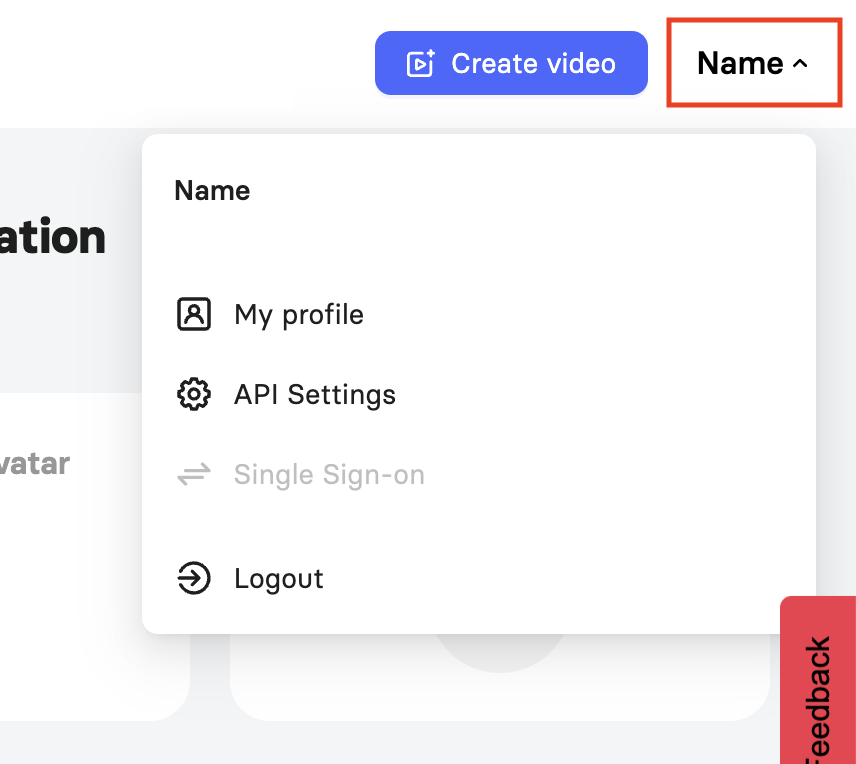
Click your name in the top right corner and select My Profile.
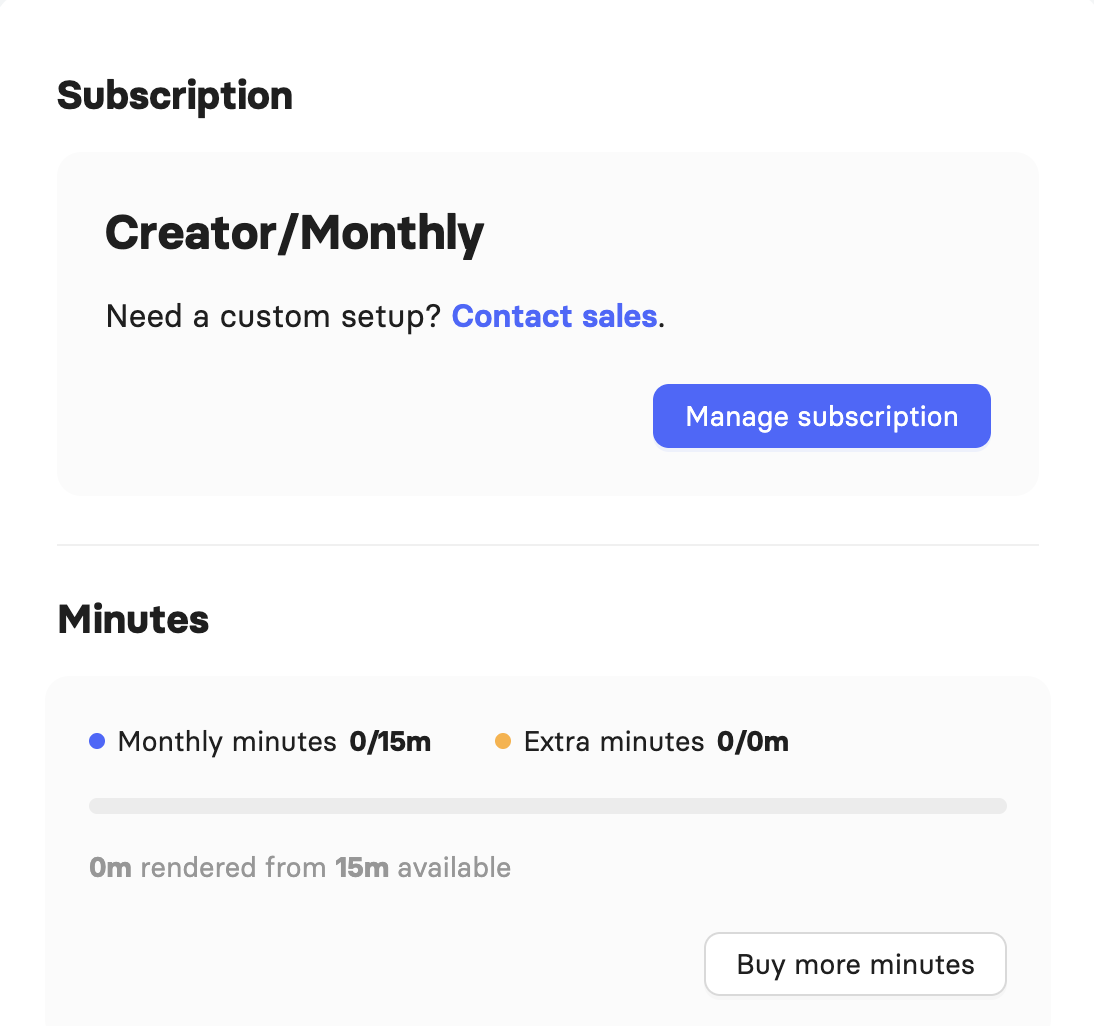
Click the Manage Subscription button.
In the Current Subscription section, click Cancel Subscription next to the plan you want to cancel.
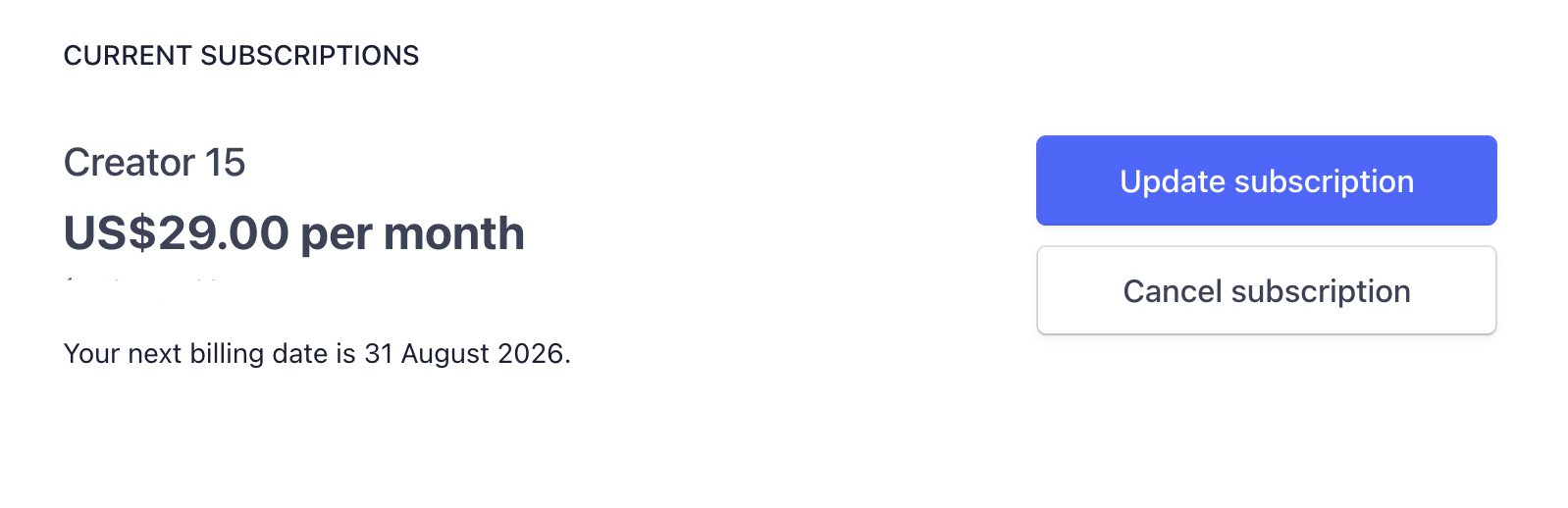
Note: This page also lists any custom feature subscriptions on your account, such as Voice Cloning and Custom Avatar. These run on annual subscriptions and can be cancelled the same way as your main plan, using the steps below.
Choose a reason from the dropdown menu and click Continue to Cancellation.
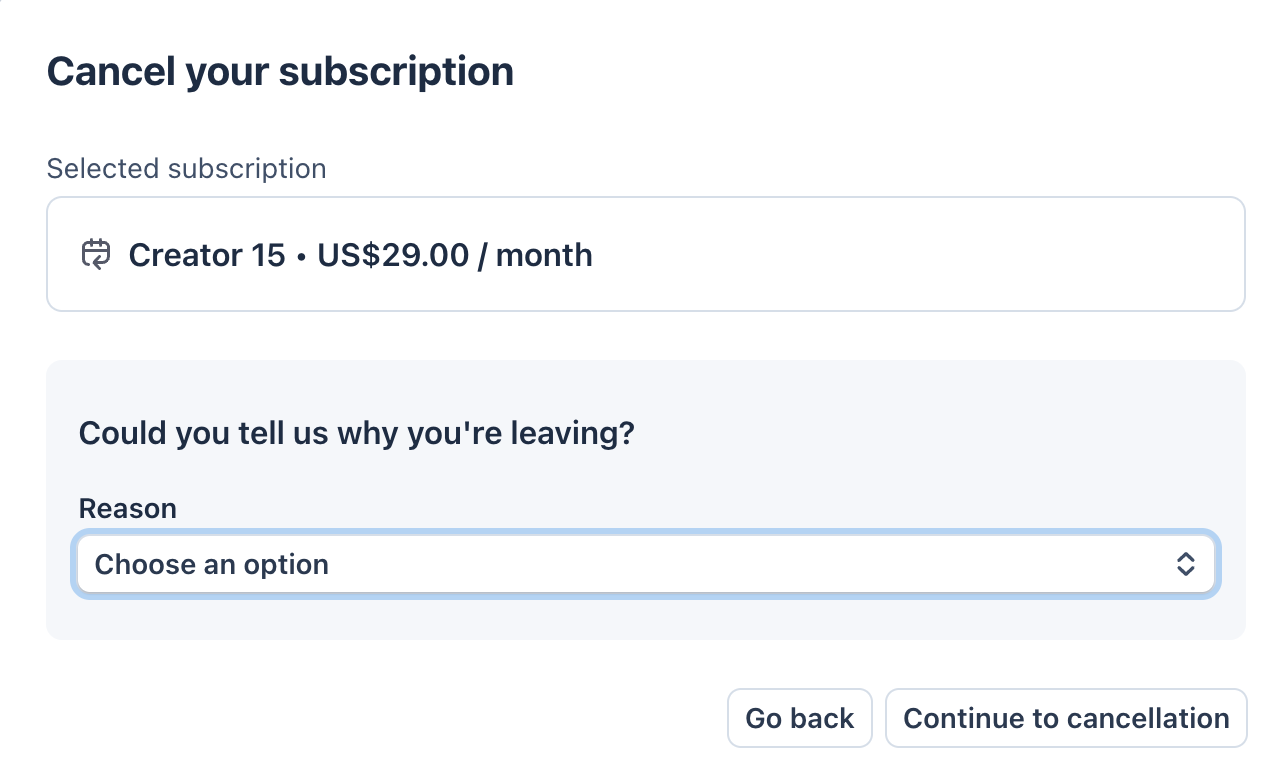
Review the cancellation details and click Cancel Subscription to confirm.
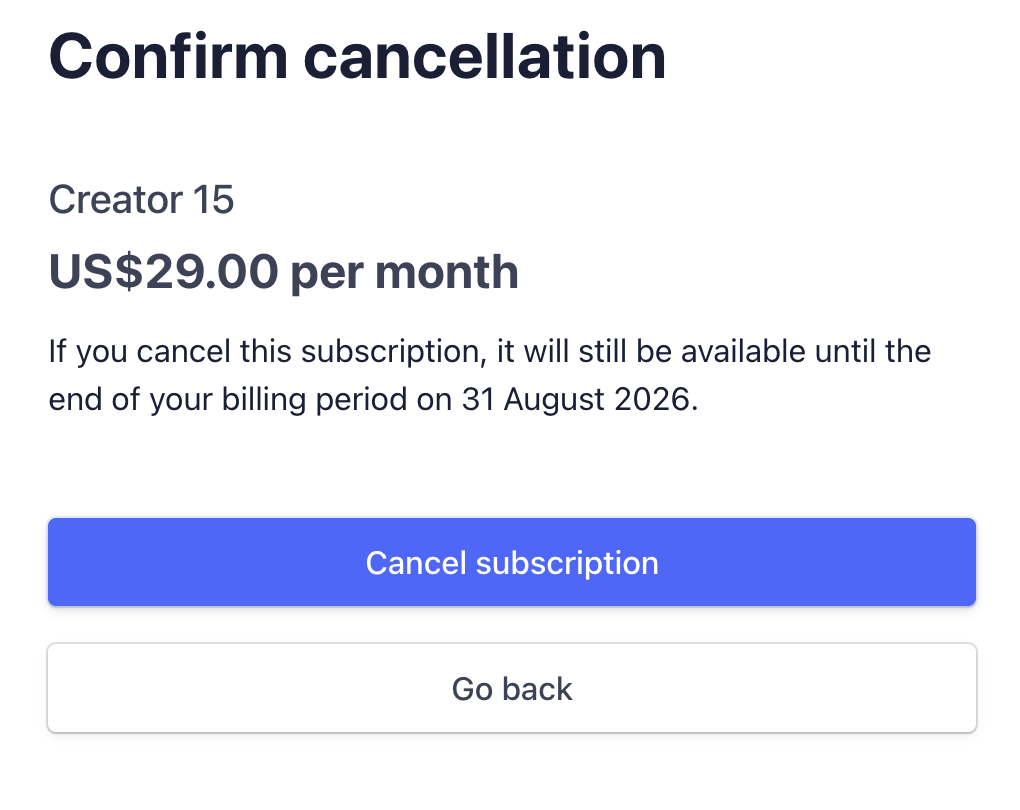
Important! Unused render minutes do not carry over to a new billing period, but you can still use them right up until your current billing period ends or until they run out, whichever comes first.
FAQ
Can I cancel my free trial?
The free trial does not require cancellation. You get a set amount of render minutes, and they stay available until you use them up or upgrade to a paid plan.
I was invited to a workspace. Can I cancel the subscription myself?
No. Invited users cannot cancel a workspace subscription. Only an account manager or the Elai support team can do this for you. Contact support@elai.io for help.
For more on roles and permissions within a workspace, see Learn About Workspaces.
Can Enterprise accounts cancel their own plan?
No. Only your account manager or the Elai support team can cancel an Enterprise subscription. Contact support@elai.io to request cancellation.
If I cancel my account, will our videos be deleted?
No. Your rendered videos remain available for sharing and downloading. You just won't be able to render new versions of them once your subscription is cancelled.
Was this article helpful?
That’s Great!
Thank you for your feedback
Sorry! We couldn't be helpful
Thank you for your feedback
Feedback sent
We appreciate your effort and will try to fix the article